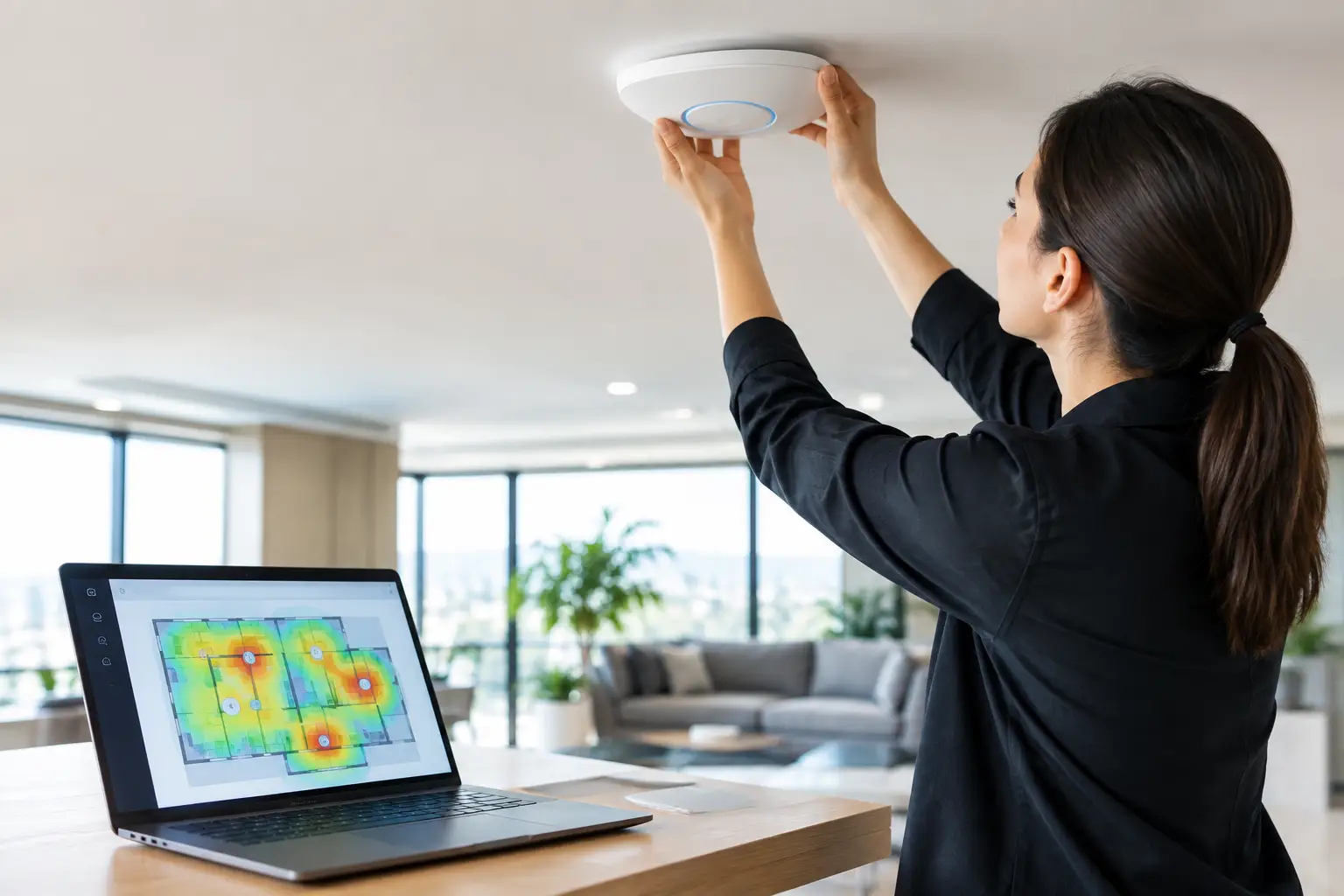
At 6:42 p.m., the room fills, every screen is live, guests begin sharing video, and the network behavior changes in minutes. This is when poor design becomes visible. To calibrate WiFi access point placement for a high-traffic Atlanta venue, teams need more than a floor plan and a signal-strength screenshot. They need to measure how people, walls, devices, streaming traffic, and venue operations behave at peak load.
For sports bars, hotels, event spaces, and broadcast-adjacent operations, WiFi placement is a revenue-protection decision. A weak guest connection can lead to complaints. A poorly positioned access point can disrupt point-of-sale tablets, staff communications, digital menus, and back-office systems. If wireless interference reaches streaming equipment or overwhelms the internet path, one network issue can become a room-wide customer experience failure.
Start With the Operating Conditions, Not the Ceiling Map
Access points are often installed where cabling is convenient, not where wireless demand is highest. That approach works until a major match drives hundreds of active devices into a concentrated space. The right placement begins with an operational map: where guests gather, where employees need mobility, where streaming and payment systems operate, and where building materials create obstructions.
Measure each area by actual use. A patio with 60 guests may require different coverage and capacity than a dining room with 60 guests because exterior walls, glass, nearby businesses, and open-air signal loss change the RF environment. A hotel lobby may look open, but elevators, concrete columns, decorative finishes, and dense furniture can create dead zones and reflected signals.
Separate critical traffic from guest expectations. Staff handhelds, POS terminals, cameras, streaming encoders, management devices, and guest phones do not have the same risk profile. Placement must support all of them, but critical systems should not compete blindly with a crowded guest network during the busiest hour of the event.
Calibrate WiFi Access Point Placement for Capacity
Signal bars are not a capacity plan. An access point can show strong coverage while serving too many clients, encountering too much interference, or using a channel shared with several nearby radios. Calibration means validating whether each access point can deliver usable service when the building is full.
Start by estimating concurrent devices, not total visitors. During a major soccer match, a group of four may bring six to eight active devices. Some guests will use WiFi for social posting, betting or score applications, digital payments, and video calls. Staff devices add another layer. A venue that expects 250 people may easily see 400 or more connected clients during a peak period.
Then distribute that demand across access points based on room layout and device density. One centrally located access point is rarely the answer for a large watch party. It may reach the entire room at low data rates, but clients at the edge of coverage consume more airtime and reduce performance for everyone else. Several properly tuned access points, each serving a defined area, generally perform better than one radio trying to cover the building.
There is a trade-off. Adding access points without a channel and power plan can make the network worse. Too many radios on overlapping channels create co-channel contention. Excessive transmit power encourages devices to connect to distant access points instead of the nearest appropriate one. The goal is controlled coverage with predictable handoffs, not maximum signal everywhere.
Place for People, Not Empty Rooms
Walk the venue the way customers and staff will use it. Test at tables, bar stools, host stands, patios, kitchens, private rooms, entrances, restrooms, and loading areas. Do not rely solely on readings taken from the middle of an empty room.
Mounting height matters. Ceiling-mounted access points often provide the cleanest coverage pattern in open areas, but placement directly above a large TV wall, metal ductwork, speaker cluster, or dense lighting rig may introduce unwanted interference or signal blockage. In older Atlanta buildings, exposed brick, plaster, concrete, and metal framing can reduce performance more than a basic predictive design suggests.
Avoid hiding access points in cabinets, above drop ceilings, behind decorative panels, or next to large metal surfaces. The equipment may be out of sight, but the radio performance will pay for it. In live event environments, accessibility also matters. Engineers need to inspect, replace, or troubleshoot an access point quickly without disrupting guests or climbing through a crowded dining room.
Build the RF Plan Before Match Day
A calibrated placement strategy includes a deliberate radio-frequency plan. On 2.4 GHz, available spectrum is limited and congestion is common. Use it for legacy and lower-priority devices when needed, but do not expect it to carry dense guest traffic reliably. Most modern capacity planning should center on 5 GHz, with 6 GHz considered where client support, equipment, and local conditions justify it.
Channel width requires restraint. Wider channels can deliver higher peak throughput, but they also consume more spectrum and can increase overlap in dense deployments. In a packed hospitality venue with multiple access points, narrower channel widths often provide more dependable capacity than chasing laboratory-speed results. The correct setting depends on the access point count, neighboring networks, client mix, and interference survey.
Transmit power should be tuned to match the physical cell size. If an access point is broadcasting too aggressively, devices may remain connected to it as guests move across the venue. If power is too low, coverage gaps appear where staff need service. Calibrate both the access point and client experience by testing roaming behavior, not just stationary signal levels.
Also inspect neighboring wireless activity. Urban commercial corridors, hotels, mixed-use buildings, and adjacent venues can create a crowded RF environment. A channel that looks clean at 10 a.m. may be saturated during an evening event. Test during realistic business conditions whenever possible.
Test the Entire Path to the Internet
Access point placement cannot fix an undersized circuit, overloaded firewall, poorly configured switch, or streaming device competing with guests for bandwidth. Wireless calibration must be part of a full network readiness review.
Run active tests from representative locations while streaming multiple high-definition video sources and generating normal guest traffic. Watch latency, packet loss, retransmissions, client association rates, channel utilization, and upstream capacity. A speed test alone is not enough. A venue can show a fast download result and still struggle with video calls, cloud POS transactions, or live stream stability because latency spikes under load.
Segment the network. Guest WiFi should be isolated from payment systems, internal operations, cameras, and streaming infrastructure. This protects critical services from both congestion and unnecessary exposure. Use quality-of-service policies carefully where appropriate, but do not use QoS as a substitute for adequate bandwidth and sensible network design.
For high-visibility events, validate failover. A secondary internet connection, correctly configured automatic failover, and tested DNS behavior can prevent a circuit outage from becoming a business outage. Test it before the room is full. A backup connection that has never carried real traffic is an assumption, not a continuity plan.
Use a Peak-Load Validation Window
The final calibration should happen under conditions close to match day. Schedule a controlled test during a busy service period or create a realistic load test with staff devices, streaming endpoints, POS activity, and multiple client connections. Measure what guests will actually feel: can they join quickly, stay connected, move between areas, and use normal applications without delays?
Document the results by zone. Record signal quality, client counts, channel utilization, throughput, latency, and any recurring trouble spots. This gives operations teams a baseline for future events and helps engineers recognize when a configuration change or new neighboring network is affecting performance.
GDS Technology approaches venue WiFi as an operational dependency, not a box-checking exercise. The objective is clear: keep guest connectivity useful while protecting the systems that keep the venue serving, selling, and streaming when demand is highest.
Warning Signs Your Placement Needs Adjustment
Some failures point directly to access point placement or RF tuning. Guests clustered near one area of the room may report slow service while another area remains underused. Staff devices may drop in a kitchen, patio, stairwell, or service corridor. Customers may have strong signal but experience slow pages, failed captive-portal connections, or repeated disconnects.
Watch for access points with consistently high client counts while nearby units sit mostly idle. That can indicate poor power settings, an obstructed radio, or client devices refusing to roam. High retry rates, elevated channel utilization, and frequent reconnects are also signs that coverage is not the same as performance.
Do not wait for a sold-out match to investigate. Placement changes can require new cable runs, switch capacity, controller adjustments, or revised mounting locations. Each of those tasks is easier on a quiet weekday than during a live broadcast with a full room watching.
A well-calibrated wireless network does not call attention to itself. It lets guests post, pay, connect, and watch while your staff focus on the event instead of apologizing for the signal. That is the standard to validate before the first kickoff.